
我用过的,或者已经了解的好用工具
服务器相关

Cloudways
独立ip的vps服务器操作简化,专门为做网站进行优化,速度快,推荐

Siteground
续费贵,后台是自己开发的,操作简单,主机放在了谷歌的机房

Hostinger
性价比最高,买4年最划算,操作后台简单明了,LiteSpeed 速度还行
域名相关

NameSilo
应该是最便宜实惠的注册商了,有免费的隐私保护,强烈推荐

Namecheap
非常著名的域名注册商了,口碑各方面都挺好,但是现在也做服务器

CloudFlare
DNS域名免费解析可以用这个,另外还有CDN功能和防御功能
建站程序工具相关




网页文案内容相关

Tweakyourbiz
随便输入关键词,马上会给出很多文章标题,好多原创的想法标题

Wikihow

Answerthepublic
大数据罗列出谷歌客户话题,客户关注点, how what how..

Title-Generator
也是一个好用的标题生成器,能给你很多文章标题的想法,快去用
网页速度相关


wordpress插件相关

WP Mail SMTP
网站收不到通知和邮件,就用这个吧,用QQ邮箱就可以配置发件

Contact Form 7
做联系表单这个应该是用最多的一个吧,设置简单,还能追踪

Duplicator
我用好多年的网站搬家软件,每一次都用,从来没有出过问题
设计素材搭配相关

Unsplash
可以免费商用的图片,可以下载很大的尺寸,做背景和配图很好哦

Pexels

Flaticon






SEO指标数据相关

Google Analytics
最权威的网站访客数据分析,各个维度的网站数据分析,谷歌权威

Clarity Microsoft

Google Search Console
只要给网站安装了这个谷歌后台控制,你已经入门SEO了,必备

Semrush
营销关键词相关

Keywords Everywhere
10美金购买10万次谷歌搜索页面的关键词显示,这个数据很直观

Keyword Surfer
谷歌搜索的时候就会推荐相关的关键词,还会显示数量,好用

Keyword Tool

Kwfinder

UberSuggest Keyword
这个光头熟悉吧,他做的关键词查询工具,可以试试用用
Keywords Everywhere
10美金购买10万次谷歌搜索页面的关键词显示,这个数据很直观
Keywords Everywhere
10美金购买10万次谷歌搜索页面的关键词显示,这个数据很直观
Keywords Everywhere
10美金购买10万次谷歌搜索页面的关键词显示,这个数据很直观
Keywords Everywhere
10美金购买10万次谷歌搜索页面的关键词显示,这个数据很直观
Keywords Everywhere
10美金购买10万次谷歌搜索页面的关键词显示,这个数据很直观
其他的网站集合
查询网站域名所在的IP地址,或者ip地址下有多少个邻居网站,https://dnslytics.com/
免费下载高清的网页背景视频,https://www.videvo.net/
图片格式转换大全,https://www.wdku.net/image/imageformat/
网站草稿设计一定要用这个,https://wireframe.cc/
Woocommerce的产品列表,鼠标放上去自动显示第二个产品图, https://wordpress.org/plugins/tp-product-image-flipper-for-woocommerce/
图片文字啥的,转成二维码给客户展示, https://ma3you.com/
网站的隐私和使用条款工具,外贸网站必做, https://app.termsfeed.com/, 第二个https://www.freeprivacypolicy.com/
荷兰建站网红的DIVI建站模板, https://divi4.com/
Google内部员工评测网页的《搜索质量评估指南》, Google搜索质量评估指南/
邮箱跟踪打开的谷歌浏览器插件, https://mailtrack.io/en/
网站时光机查看域名历史的很多快照, https://archive.org/web/
通过询盘表单得到的ip地址查询归属国家, https://www.ip138.com/
weglot翻译最贴近口语和生活-而且直接所见即所得修改翻译的内容, https://weglot.com/
wordpress安装一键whatsapp聊天的按钮, https://wordpress.org/plugins/click-to-chat-for-whatsapp/
经常和服务器之间进行ftp或者sftp的文件传输, https://www.smartftp.com/en-us/
各种seo工具包组团购买,香的不行, https://digitavision.com/
免费的商用图片库, https://cn.depositphotos.com/free-images.html
检查SS Google搜索引擎对网站的惩罚的积累得分 https://websiteseochecker.com/spam-score-checker/
table of content 可以实时显示看到的位置 , https://codecanyon.net/item/fixed-toc-wordpress-plugin/7264676
canva的图片素材库, https://www.canva.com/photos/
科大讯飞的英文字幕自动生成, https://zimu.iflyrec.com/
超级好用的独立站翻译软件, https://translatepress.com/
微软推出的AI文本转语音, 可以选择播音员, https://toolb.cn/textspeech
查看这个网站用什么服务程序插件做的很详细的分析, https://www.wappalyzer.com/
购买gmail或者其他的国外账号平台, https://www.henduohao.com/product
查看网页上有多少个文字统计, https://wordcounter.net/website-word-count
在 Google 搜索中心博客中,您可以找到官方 Google 搜索核心算法更新, https://developers.google.com/search/blog
时时刻刻监控网站的在线,一分钟检测一次, https://www.freshworks.com/website-monitoring/
世界上网站建设使用的底层代码市场占有率,https://w3techs.com/technologies/overview/content_management
中文界面的测速工具,还会查看SEO的数据,很多数据都检测,https://webuup.com/
右下角出现图标在网站上,可以自己调节的选择很多,https://getbutton.io/
侧边可以选择多个联系方式,弹出式,https://premio.io/downloads/mystickyelements/
Ahrefs的关键词查询,关联关键词联想功能,https://ahrefs.com/keyword-generator
推荐一个做表格的网址,正在用 好香,https://www.tablesgenerator.com/
注册接短信码,国外的平台好用支付宝充值,https://sms-activate.org/
增加购物车变成询盘按钮,https://yithemes.com/themes/plugins/yith-woocommerce-request-a-quote/
公司取名字注册域名想名字的时候给灵感,https://namelantern.com/
检测AI文字的工具,分析是不是AI做的,https://originality.ai/,另外一个https://openai-openai-detector.hf.space/, 又一个https://gptzero.me/, 又一个https://contentatscale.ai/
各种AI的合集,作图的文字的,https://17yongai.com/
自动生成文案图片的后台,类似jasver,黑色风格,https://chatgpt.leoai.net/dashboard/
在线做ps设计,好用,https://ps.gaoding.com
谷歌关键词规划师,无需注册登录账号,http://baba-blog.com:8088/tools/keywords_planner.html
如果ChatGPT 官网用不了的话,可以用国内的它的镜像网站,功能是一样的,无需注册,http://gpt.gcchen.cn
另外一款图片压缩,tinypng的替代品,https://squoosh.app/
PNG自动抠图,还可以有和多png图片供选择,https://www.pngitem.com/, 另外一个不用注册也行,https://pixian.ai/
AI 建设网站,可以克隆别人的网站,几分钟完成,https://10web.io/
利用AI把图片变的很清晰,付费的,不过很好用,https://www.cutout.pro/zh-CN
用AI把图片弄的很清晰,这个是免费的版本,https://bigjpg.com/zh
临时放截图,相当于一个图库了,跟老外聊天用,https://prnt.sc/
可以下载各大视频网站的解析,https://pastedownload.com/
可以搜索MJ生成的图片,并给出图片咒语参考,https://lexica.art/
检测生成wordpress主题的版本和信息,https://www.wpthemedetector.com/
查看全球的wordpress主题占比,https://trends.builtwith.com/framework/wordpress-theme
奶茶飞冰说文件格式转化特别好用的一个工具,https://cn.office-converter.com/
AI改变图片的背景和一些要素想要啥样的都行,https://claid.ai/
抠图,大量的png文件下载可以直接使用的,https://www.pngdirs.com/, 2 https://www.pngitem.com/
发现一个北美网站,可以查免费海关数据,说太详细了,https://www.importyeti.com/
用AI来做设计网站,自动生成超级好用spacex,https://www.dora.run/ai
用AI合成视频人物讲解,可以解决视频人物出镜的问题,https://www.synthesia.io/
看看一些关键词大家会问什么话题的,写blog使用,https://alsoasked.com/
web版本 CAD 3d建模和模型答搭建 ,https://app.sketchup.com/app?hl=en
免费总结的SEO工具30个,很详细 啥都有 ,https://ahrefs.com/blog/free-seo-tools/
用于查找博主的增长速度是不是正常 ,https://socialblade.com/
关键词生成和话题的生产,界面看起来很清晰 ,https://searchresponse.io/
DIVI的产品页面用横向的那种筛选 ,https://wooessential.com/
让图片变成webp格式的在线转换 ,https://bulkresizephotos.com/en
https://www.liuchengtu.com/
迅捷思维导图(付费的) 网页版本 方便画思维导图,白板适合做一个网站的黑白草稿
给独立站弄缓存和加速
https://wp-rocket.me/
https://flyingpress.com/pricing/
https://www.s-sols.com/products/wordpress/accelerator
一些服务器主机总结
适合国内访问速度的,有香港的
https://www.sugarhosts.com/zh-cn/hosting/shared-web-hosting
有香港的
https://kinsta.com/
经常使用谷歌chrome工具插件
Linkclump 右键同时打开多个链接,使用方法 按住Z键
https://chromewebstore.google.com/detail/lfpjkncokllnfokkgpkobnkbkmelfefj?hl=zh-CN&utm_source=ext_sidebar
Awesome Screenshot 截图录屏,非常好用的
https://chromewebstore.google.com/detail/awesome-screenshot-%E6%88%AA%E5%9B%BE%E5%BD%95%E5%B1%8F/nlipoenfbbikpbjkfpfillcgkoblgpmj
Random User-Agent (Switcher),切换浏览器身份的,可以根据时间随机生成
https://chromewebstore.google.com/detail/random-user-agent-switche/einpaelgookohagofgnnkcfjbkkgepnp
图片助手(ImageAssistant) 批量图片下载器,批量下载网页的图片
https://chromewebstore.google.com/detail/%E5%9B%BE%E7%89%87%E5%8A%A9%E6%89%8Bimageassistant-%E6%89%B9%E9%87%8F%E5%9B%BE%E7%89%87%E4%B8%8B%E8%BD%BD/dbjbempljhcmhlfpfacalomonjpalpko
Web Scraper – Free Web Scraping,网页的爬虫工具,不用代码也能实现各种爬虫场景
https://chromewebstore.google.com/detail/web-scraper-free-web-scra/jnhgnonknehpejjnehehllkliplmbmhn?hl=zh-CN&utm_source=ext_sidebar
排名第一的屏幕截图工具,贪吃一样吃完
https://chromewebstore.google.com/detail/gofullpage-full-page-scre/fdpohaocaechififmbbbbbknoalclacl?utm_source=ext_app_menu
Video DownloadHelper 下载网页的视频
https://chromewebstore.google.com/detail/video-downloadhelper/lmjnegcaeklhafolokijcfjliaokphfk?hl=zh-CN&utm_source=ext_sidebar
谷歌站长工具的增强工具包
https://chromewebstore.google.com/detail/google-search-console-dat/fkpkhpigkldfnnimijaaldpafcibaepk
C端收款的一些
https://www.useepay.com/
https://www1.payoneer.com/zh/
检查DNS生效的所有细节
https://www.sojson.com/zz/checkdns.html
https://boce.aliyun.com/detect/http
SEO 写作辅助工具
https://ahrefs.com/writing-tools/
团购SEO工具的网站
https://digitavision.com/
https://www.waimaoxia.net/about
https://www.hiwaike.com/seo/
https://seopack.org
https://groupbuyexpert.com/
独立站测速 speed
https://pagespeed.web.dev/
https://www.webpagetest.org/
https://gtmetrix.com/
https://tools.pingdom.com/
https://www.webpagetest.org/
https://webuup.com/
SEO的国外大部分博客
https://developers.google.com/search/blog
https://www.smartinsights.com/blog/
https://www.matthewwoodward.co.uk/
https://ahrefs.com/blog/
https://moz.com/blog
https://searchengineland.com/
https://www.searchenginejournal.com/
https://www.seroundtable.com/
https://www.seobythesea.com/
https://www.orbitmedia.com/blog/
https://www.semrush.com/blog/
https://www.seerinteractive.com/blog/
https://www.jcchouinard.com/
https://www.analyticsmania.com/blog/
https://brodieclark.com/blog/
https://www.gsqi.com/marketing-blog/
https://www.seerinteractive.com/blog/
https://sparktoro.com/blog/
https://www.authoritylabs.com/blog/
https://www.onely.com/blog/
https://raventools.com/blog/
https://www.seozac.com/
https://www.blackhatworld.com/
免费的icon图标库
https://iconpark.oceanengine.com/home
https://fontawesome.com/
https://ionic.io/ionicons
https://icons.getbootstrap.com/
https://iconscout.com/unicons
https://tabler-icons.io/
在线学习管理插件
https://www.learndash.com/
https://thimpress.com/
https://www.themeum.com/product/tutor-lms/
https://flippa.com/
https://empireflippers.com/
https://www.motioninvest.com/
购买现成的网站,交易 买卖
检测网站实时在线,掉线立马提醒
https://uptimerobot.com/pricing/
50个免费
https://www.site24x7.com/app/client#/home/monitors
有提醒 但是有额度限制,是zoho公司的
https://www.checklyhq.com/pricing/
不是很好用
https://www.freshworks.com/website-monitoring/
最好的检测工具,不过停止注册新的用户了,可惜
关键词收集工具
https://www.wordstream.com/keywords?camplink=mainnavbar&campname=KWT&cid=Web_Any_MegaMenu_Keywords_KWTool_KWTool
免费的,带有搜索量和ads的出价
Ahrefs的关键词查询,关联关键词联想功能,免费,很好用,可以选择国家
https://ahrefs.com/keyword-generator
这个是其他收藏的一个工具大全网站
https://toolsdar.com/#term-3053
工具达人
发现一个超级酷的网络检查工具「Web-Check」,很 Hacker,可以查看一个网站几乎所有信息,如 IP 信息、SSL、DNS记录、Cookies、域名信息、搜索爬行规则、服务器位置、重定向记录、开放端口、路由跟踪、DNS安全扩展、网站性能、关联主机名等。
????
https://web-check.xyz/
检测文章的原创度,是否抄袭,查重 重复
http://plagiarisma.net/
https://www.quetext.com/
http://smallseotools.com/plagiarism-checker/
http://www.copyscape.com/
https://www.duplichecker.com/
https://www.siteliner.com/
最简单的是直接放在搜索引擎上搜索
检测网站的DA和SS值
https://letmepost.com/check-da-pa
https://www.dapachecker.org/
https://websiteseochecker.com/bulk-check-page-authority/
https://www.prepostseo.com/domain-authority-checker
群友wee分享的集合
https://vip.ddddseo.site/wp-content/uploads/2023/06/500个外贸实用工具.xlsx
网站多语言翻译的插件
https://gtranslate.io/
https://transposh.org/
https://wordpress.org/plugins/polylang/
https://www.weglot.com/pricing
https://www.prisna.net/wordpress-translation-plugin/
编辑的方法
?language_edit=1
https://docs.gtranslate.io/en/articles/1348921-how-to-edit-translations
ChatGPT镜像网站
https://chatgpt.ddiu.me
https://ai.okmiku.com
https://ai.gtio.work
https://chat.51buygpt.com
https://askaiw.com
https://gpt4.cc
https://ask.aiservices.tech
https://chat.extnav.com/#/chat/1002
http://openmao.com/#/index
http://chat3.geekr.dev/
https://qachat.cc/
https://dev.yqcloud.top/
https://ai.bo-e.com/
http://newb.site/chatgpt
https://openai.onenov.cn/
http://ai.usesless.com/
https://gpt.intercat.cn/
https://aigcfun.com/
https://chat.livepo.top/
https://chat.zecoba.cn/
https://chat.moyunav.com/
https://slack.com/
注册这个账号,然后工作台那边添加应用Claude, 就可以使用AI聊天,这个是openAI的离职员工做的
二、类官网风格
http://gitopenchina.gitee.io/freechatgpt/
界面比较清爽,首次加载速度有点慢,后期回复速度非常快,整体体验不错。http://newb.site/chatgpt/
界面比较清爽,速度非常快,整体体验不错。
http://gitopenchina.gitee.io/freechatgpt/
界面比较清爽,速度非常快,整体体验不错。
http://ai.usesless.com/chat/
界面比较清爽,速度非常快,整体体验不错。
https://dev.yqcloud.top/
界面比较清爽,速度还可以,整体体验尚可。
https://chat-gpt.org/chat
速度一般,有次数限制,一天10条消息,但支持下载聊天记录为Image/PDF/Markdown,这个功能很人性化。
https://ai.bo-e.com/
速度有点慢,整体体验还行。
https://chat.forchange.cn/
速度比较慢,整体体验还行。
三、机器人风格
https://chat2.xeasy.me/
速度非常快,整体体验不错。
https://www.ftcl.site/
速度非常快,整体体验不错,有次数限制,一天10次。
https://gpt.intercat.cn/
速度还可以,整体体验还行。
四、其他
https://www.tdchat.com/
界面比较简陋,速度比较快,但是输出字数有限制
https://vrtalk.io/
界面比较简陋,速度还可以,用户体验不是太好,不能使用Enter键发送消息,消息发送完成后不会清空输入框。
https://gpt.h7ml.cn/
ChatGPT4.0免费在线使用,需要自取哈:
https://ora.sh/openai/gpt4
https://chat.forefront.ai
https://chat.chatbot.sex/chat
AI PPT生成:
(1) gamma.app (2) design.meitu.com/ppt/?theme=dark (3) mindshow.fun
图像处理/视频处理:
https://booltool.boolv.tech/home
AI图像生成:
https://rightbrain.art
AI英文写作辅助:
https://writingo.net
https://poe.com/ChatGPT
Poe AI 聊天机器人整合了6 种常见的AI 对话服务,包括Sage、GPT-4、Claude+、Claude、ChatGPT 以及Dragonfly。
在Poe里,你可以选择和六个AI进行对话,方便省事。
https://seo.ai/detector
检测AI工具
https://dreamlike.art/
Ai 新的作图平台
HARPA AIlChatGPT网络助手和监额器
AIPRM for ChatGPT 中文的表达,英文输出结果
gpt4.0 插件应用需要在chatgpt4.0 setting,应用Beta features,打HpluginsSythies
https://app.ithinkai.world/
所有的AI工具集合在一起
https://www.kua.ai/
都是跨境用的AI工具
https://www.drafthorseai.com/
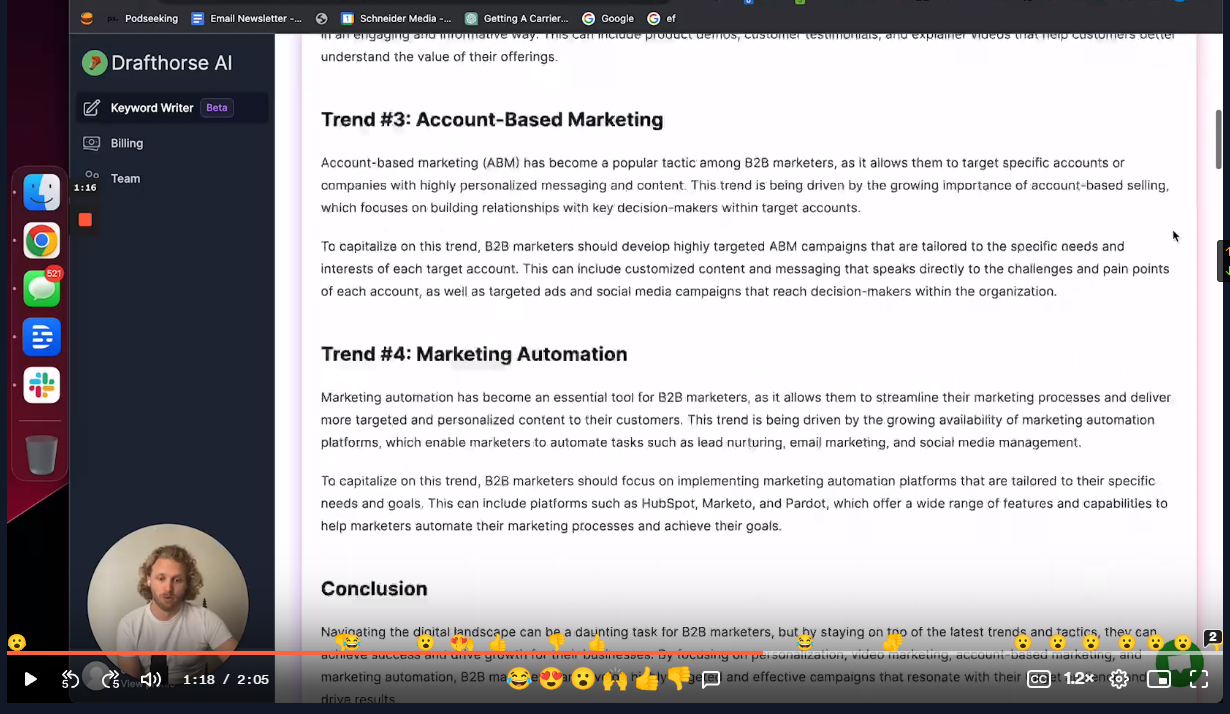
给到关键词 可以出大量的文章的工具
之前推荐的 toolify.ai 这个 AI 工具合网站就是基于similarweb 的API搭建起来的,很不错
https://www.toolify.ai/zh/
https://hao.logosc.cn/
提示词的总结prompt工具网站
https://www.perplexity.ai/
这个也是一个集合
https://magnific.ai/
让图片从模糊变成非常清晰的操作
ai文案检测工具:
https://openai-openai-detector.hf.space/
https://contentatscale.ai/ai-content-detector/
https://app.copyleaks.com/
https://gptzero.me/
检测AI的写的
测试ip地址
http://ip111.cn/
配色网站汇总:
https://color.adobe.com
Adobe配色器在线色轮调色,主题色拾取,渐变色工具等
https://materialui.co
配色参考,emoji表情,图标,特殊符号
https://coolors.co
配色方案生成器
https://uigradients.com
上百种渐变配色方案参考
https://color.uisdc.com
优设配色导航 中国,日本传统色,渐变色等配色参考
https://happyhues.co
调色灵感,颜色术语彩心理学
https://colormix.mdbgo.io
在线配色神器
https://mycolor.space
渐变配色生成器,自动CSS代码
https://colors.dopely.top
在线调色,颜色转换器,拾色
https://colorhunt.co
数以千计的色卡灵感
https://colrd.com
你可以上传自己的图片,将生成的配色方案保存下来。
https://shimodadesigns.com/home/
非常舒服的颜色搭配参考,黑白灰,noelan大哥推荐的
Ahrefs的免费seo课程——除了是免费而推荐外,更重要的是推荐大家去看看国外专家是怎么理解seo的。比如我们是为了做流量还是做转化?关键词背后体现的是用户什么样的搜索意图?
(可以用cc字幕翻译中文)
SEO Course for Beginners seo入门
https://ahrefs.com/academy/seo-training-course/lesson-0-1
Blogging for business:商业博客写作
https://ahrefs.com/academy/blogging-for-business/lesson-1-1
Advanced Link Building 高级外链建设
https://ahrefs.com/academy/link-building-course/lesson-0-1
如果你想学SEO,那么 ahrefs 的手册 https://ahrefs.com/seo 可以看一看。
把下面几篇按顺序看一遍,就有了基本的SEO概念了
how do search engines work
https://ahrefs.com/blog/how-do-search-engines-work/
seo basics
https://ahrefs.com/blog/seo-basics/
keyword research
https://ahrefs.com/blog/keyword-research/
seo content
https://ahrefs.com/blog/seo-content/
on page seo
https://ahrefs.com/blog/on-page-seo/
link building
https://ahrefs.com/blog/link-building/
technical seo
https://ahrefs.com/blog/technical-seo/
随手记的
https://wordpress.org/plugins/track-geolocation-of-users-using-contact-form-7/#description
追踪contact from 7 ip的国家
https://www.cdnperf.com/
这个是CDN的排名,选择使用购买CDN的可以选择这个网址进行查看,里面有很多的CDN
https://www.megamenu.com/features/
创建Mega Menu的一个插件,还是蛮好用的
https://www.markhendriksen.com/how-to-create-a-divi-mega-menu/
https://getwooplugins.com/plugins/woocommerce-variation-swatches/
付费的多变产品,点击颜色或者图片换产品的插件,切换,就是有点贵
https://www.businessbloomer.com/woocommerce-checkout-customization/
woocommerce 的结算页面 单个性化表单修改
https://themify.org/wc-product-filter/?wpf=sidebar&wpf_cat=toys&wpf_pa_color=grey&wpf_tag=accessory
侧边筛选的产品 属性等等,免费的插件,用短代码 实现的
https://builtwith.com/
检查网站是用什么建设的,比那个插件要清晰一些
https://www.webnames.ru/en/hosting
https://cn.resellerclub.com/
俄罗斯网站的搭建 域名 服务器
https://buttonizer.pro/
网站侧边放联系方式
https://trello.com/pricing
工作规划设计
https://wordpress.org/plugins/wc-product-author/
如果公司团队化建网站,需要这个author权限管理产品,需要用到这个
https://www.webpagetest.org/
全新的网站测速软件,真实的体验
https://seoscout.com/suggest
话题生成器
推荐Perfmatters 这个插件,禁用资产和优化加载
资产清理插件Asset CleanUp Pro
https://www.spyfu.com/
谷歌广告分析,竞争对手的分析
https://www.markhendriksen.com/how-to-use-and-style-the-divi-dot-navigation/
DIVI中修改右边点的导航
https://zight.com/
截屏录屏 给人演示用的
https://www.codedropz.com/purchase-plugin/
表单的文件上传拖拽,放进去
https://www.codeixer.com/gallery-slider-for-woocommerce/
把woocommerce的产品展示弄成带有左右箭头的
https://new.express.adobe.com/tools/convert-to-gif
视频mp4转gif,在线的
https://igoutu.cn/icons/set/popular–animated
飞冰推荐的,动态icon
https://scamalytics.com/ip
https://ipinfo.io/
检测ip地址的干净程度
https://recordit.co/
非常还用的截图工具
https://ytshorts.savetube.me/zh/youtube-video-downloader-3
youtube视频下载
https://www.frase.io/templates/
SEO文章的一些模板框架
https://wordpress.org/plugins/scrollsequence/
做苹果的那种鼠标下拉 细节特效的
https://www.sitesimilar.net/
找相似 同行网站 利器
https://wordpress.org/plugins/advanced-dynamic-pricing-for-woocommerce/
产品页面设置阶梯价格插件
Try.New
https://app.zipwp.com/wp
创建一个wordpress 做测试使用 在线的
https://wordpress.org/plugins/taxonomy-terms-order/
自定义 类目 tag的排序
https://www.semanticscholar.org/
国外文献下载,用于blog页面专业知识的时候参考用,飞冰分享
https://shop.pockyt.io/pc/goodsDetail/vc1aYhc/App%20Store%20&%20iTunes%20USA/all
购买App Store & iTunes US 充值卡,用于充值GTP4.0 AI
https://www.termsfeed.com/cookie-consent/
cookie 欧盟隐私 提示框 缓存